Blog Module for PrestaShop – Engage Your Audience with Custom Content
The Blog Module for PrestaShop allows you to easily create and manage blog posts that engage and inform your customers. With features inspired by Blog - Latest Articles, Tips & Insights, you can publish rich content with images, titles, subtitles, and descriptions to promote your products, services, and store updates.
This module offers full flexibility in creating dynamic blog posts—similar to modern content platforms like Medium—allowing you to share Blog - Latest Articles, Tips & Insights to enhance your site’s SEO, boost customer engagement, and deliver valuable updates, tutorials, and product highlights.
Features in Detail
1. Image Upload for Blog Posts- Upload custom images for each blog post to capture attention.
- Use high-quality visuals to accompany your posts and make them more engaging, just like leading Blog - Latest Articles, Tips & Insights websites.
2. Customizable Titles and Subtitles- Set an eye-catching title and a clear subtitle for each post to convey key messages.
- Ensure your titles and subtitles align with your brand and content theme.
3. Detailed Descriptions- Write descriptive content for each blog post that provides value to your readers.
- Utilize clear language to highlight key points, offers, or updates about your store or products.
4. Status Control- Choose whether to publish your blog post, save it as a draft, or set it to pending status.
- Manage the visibility of each post based on your content publishing schedule.
5. Easy Post Management- Quickly manage all your blog posts via a simple and intuitive admin interface.
- Rearrange, delete, or edit posts with just a few clicks.
Advanced Benefits for Merchants
Boost SEO- Improve your store’s SEO by publishing optimized blog posts enriched with useful insights.
Enhance Customer Engagement- Engage your customers by sharing informative content that offers value and answers their needs.
Create Consistent Content- Regularly post updates, news, and product promotions to keep your customers informed and engaged.
Why This Module is a Must-Have
The Blog Module for PrestaShop is essential for merchants who want to leverage content marketing, share Blog - Latest Articles, Tips & Insights, and enhance SEO. By publishing consistent, valuable posts, you build stronger customer relationships and grow your online presence.
Technical Details
- Compatibility: Fully compatible with PrestaShop versions 1.7.x and higher.
- Browser Support: Works seamlessly on all major browsers (Chrome, Firefox, Safari, Edge, etc.).
- Code Quality: Developed using modern PHP and PrestaShop coding standards.
- Support: Includes 24/7 customer support for technical assistance.
Step-by-Step Guide to Use
1. Install the Module- Upload and activate the Blog Module via the PrestaShop back office.
- Follow the installation guide for easy setup.
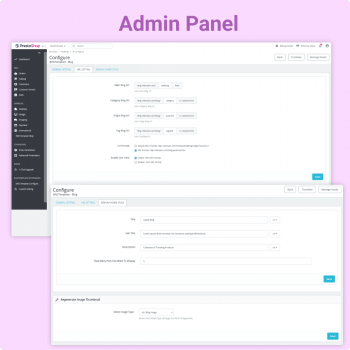
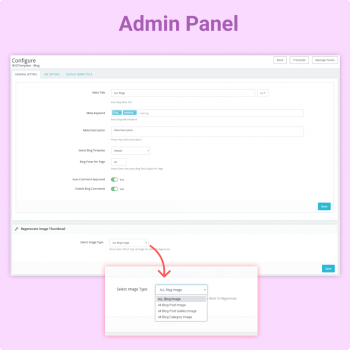
2. Create New Blog Post- Add a title, subtitle, description, and image to your blog post from the admin panel.
- Preview your post before publishing to ensure it looks perfect.
3. Set Post Status- Choose whether to publish, draft, or set your post to pending status.
- Publish when you want it visible to your customers.
Who Can Benefit from This Module?
- All Merchants: Share promotions, news, tutorials, and updates.
- Content Creators: Easily manage and publish blog content.
- SEO-Focused Stores: Increase organic traffic with optimized posts.
What’s Included in the Package?
- The Blog Module (ZIP file)
- Installation & usage guide
- Free updates and bug fixes
- 24/7 customer support
Enhance your PrestaShop store with the Blog Module. Create engaging content, publish Blog - Latest Articles, Tips & Insights, and keep your audience informed while boosting SEO.